Who Can Contribute Evidence
An evaluation has exactly one evaluator — the person named in the Evaluator column on the Assignments screen. That is often read as "only that person can work with this teacher," which isn't the case. The evaluator assignment decides who is accountable for the summative; collecting evidence along the way is open to every evaluator at the school.
This is the distinction behind a common question: how do I assign a primary and a secondary evaluator?
The Evaluator Assignment Is the Summative Evaluator
When a District Admin, School Admin, or delegated principal sets the Evaluator on the Assignments screen, they are naming the person who:
- owns the Summative Evaluation for that evaluatee,
- reviews all the aggregated evidence at the end of the year, and
- assigns the final criterion scores and the overall performance rating.
There is one such person per evaluation, and eVAL has no second evaluator field. What it has instead is a school-wide evidence model.
Any Evaluator at the School Can Collect Evidence
In the Evaluate Teachers work area, a principal can work with any teacher at their school — not only the teachers assigned to them. The same holds for Evaluate Principals and the principals at that school.
| Activity | Who can create it |
|---|---|
| Observations | Any evaluator at the school |
| Artifacts | Any evaluator at the school, or the evaluatee |
| Student growth goal setting & achievement | The assigned evaluator |
| Self-assessment | The evaluatee only |
| Summative scoring | The assigned evaluator only |
An observation created by a peer principal behaves exactly like one created by the assigned evaluator. When it is submitted and locked, its aligned evidence is published against the evaluatee's evaluation and aggregates into the Summative's Evidence View, tagged with the collection it came from — see Evidence Collections and Observations. The summative evaluator sees it alongside their own evidence when they score C1–C8.
Finding a Teacher You Don't Evaluate
By default the Evaluatee dropdown in the sidebar lists only the evaluatees assigned to you.
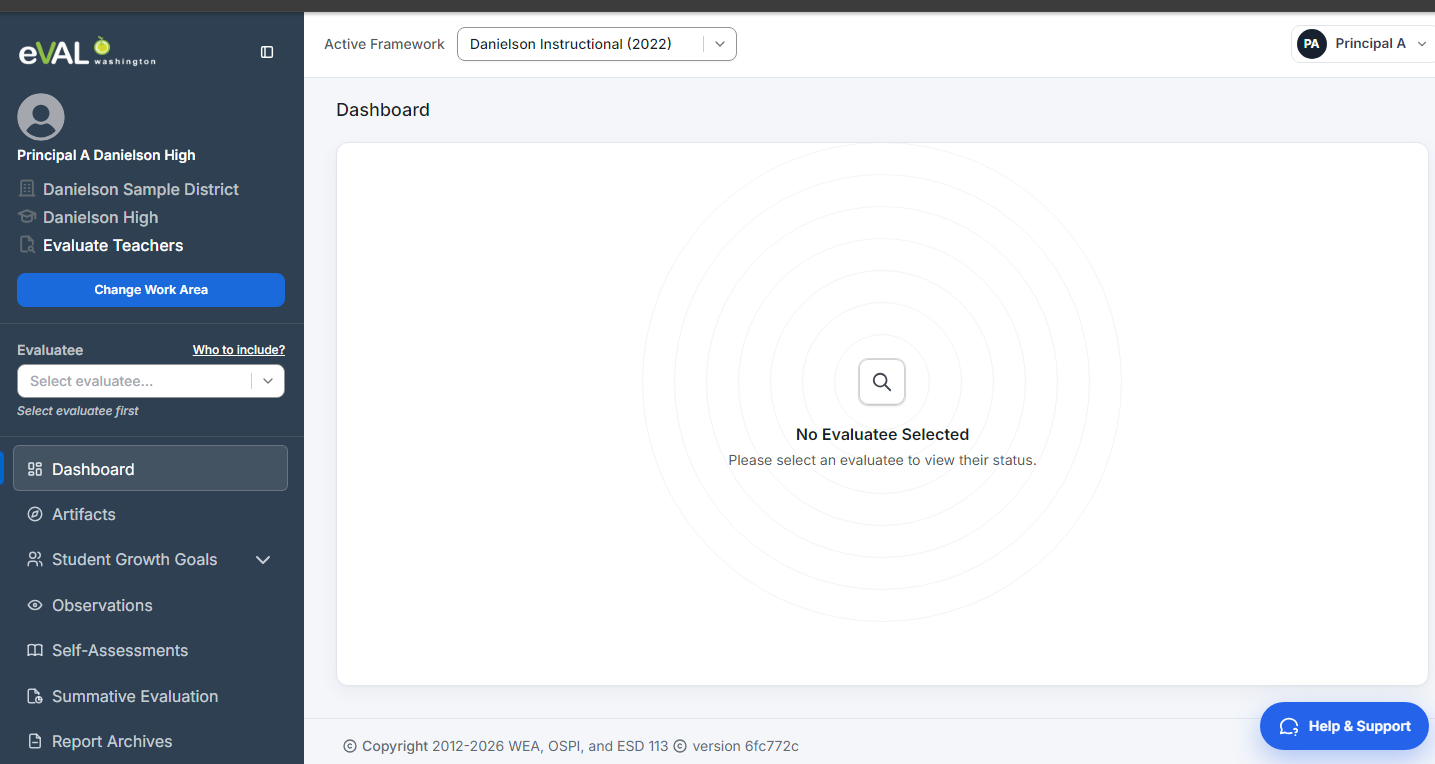
To reach the rest of the school:
- Click Who to include? above the dropdown.
- Choose School-wide.
- The dropdown now lists every evaluatee at the school, whoever their evaluator is. Select one and work as you normally would — Observations, Artifacts, and the rest of the sidebar operate on that evaluation.
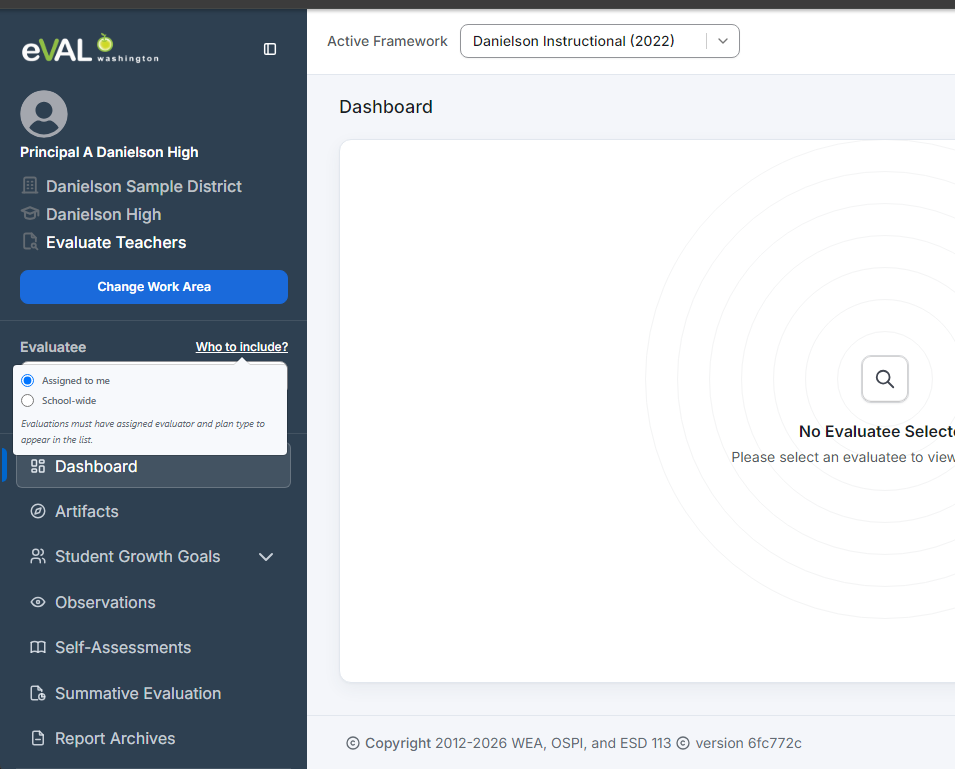
An evaluation appears in the dropdown only once it has both an assigned evaluator and a plan type. Staff whose setup isn't finished are filtered out of both views — see Assignments & Plan Types.
The scope resets to Assigned to me when you reload or switch work areas, but a school-wide evaluatee you have selected stays selected — the list reopens on School-wide so your selection is still visible.
Each Evaluator Curates Their Own Evidence
Seeing an evaluation is broader than editing inside it. A peer principal can create their own observations and artifacts, but they cannot edit, retag, or delete evidence in a collection someone else created. Each evaluator decides what goes into their own report; the summative evaluator decides what the summative says.
So on a teacher's evaluation, a second principal contributes a complete, self-contained observation. They do not co-edit the first principal's.
Meeting a Primary/Secondary Evaluator Requirement
Where a collective bargaining agreement calls for a primary and a secondary evaluator, the usual arrangement in eVAL is:
- Primary evaluator — assigned as the Evaluator on the Assignments screen. Responsible for the summative.
- Secondary evaluator — any other principal or assistant principal at the school. They switch the Evaluatee dropdown to School-wide, select the teacher, and conduct their share of the observations.
Everything the secondary evaluator collects flows into the same summative for the primary evaluator to weigh. What eVAL does not do is split summative responsibility between two people or record the secondary evaluator as a formal role on the evaluation — if the agreement requires that to be documented, districts typically track it outside eVAL.
District Evaluators Are Different
A District Teacher Evaluator or District Principal Evaluator is not based at a school, so there is no school roster to open up. Their dropdown shows only their own assigned evaluatees, and the link above it reads Who can I see? rather than Who to include? — it explains the fixed scope instead of offering a choice.
If a district evaluator needs to contribute evidence to someone else's evaluatee, they have to be assigned as that evaluatee's evaluator.